CosmoDirector
Space Mission Control Simulator (try it here)
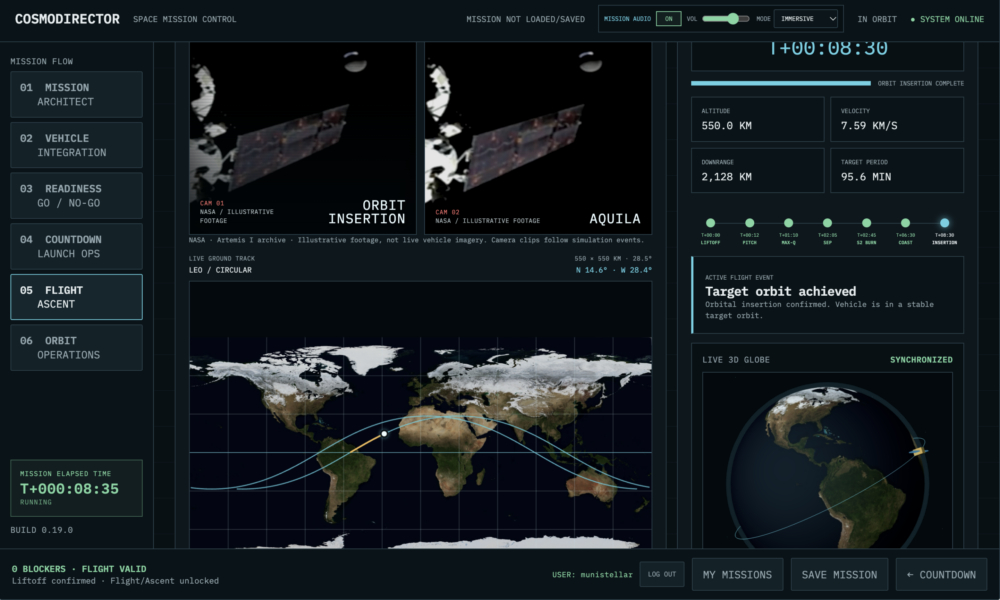
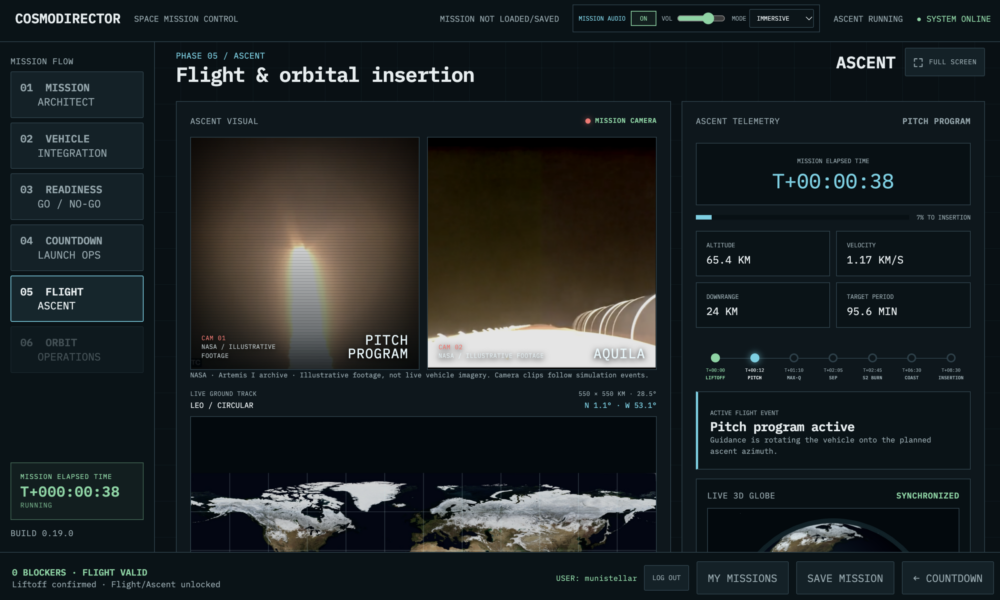
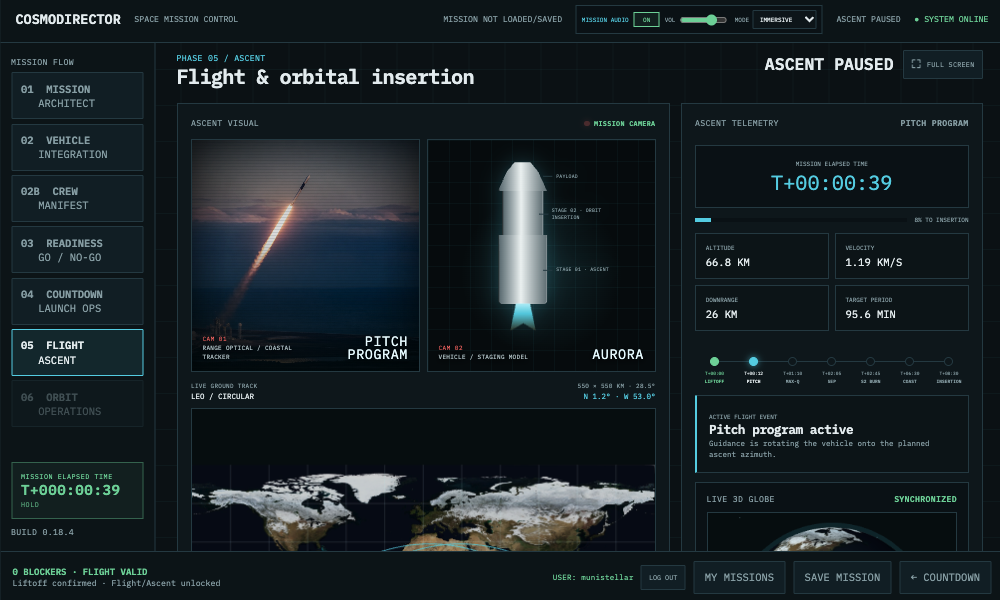
simulation software
01
# CosmoDirector – Space Mission Control Simulator
**CosmoDirector** is an interactive, browser-based space mission-control
simulator published on Sites. Players define a mission, balance
payload and orbital constraints, and receive live GO/NO-GO feedback from an
operational control-room interface.
The current mission arc focuses on Low Earth Orbit. Lunar, Martian, and
deep-space operations are planned for later releases.
## Current status
Version **0.23.0** gives the console the full page width, makes the ascent
timeline easier to read, and adds new Second Stage Burn camera views.
Play at [cosmodirector.risolnet.com](https://cosmodirector.risolnet.com/) or
[open cosmodirector on Sites](https://cosmodirector.munistellar.chatgpt.site/).
Mission Audio uses 148 bundled English mission recordings generated locally
with Kokoro. Every line has a
radio filter, transmitter saturation, subtle carrier hiss, and a short end-of-transmission
beep. Four fixed speakers provide
consistent Mission Control voices across devices without installing system
voices or using paid APIs. MP3s load on demand; complete
sentences omit variable run numbers while all details remain visible in the
simulator. Priorities, contextual chatter, radio effects, and user-gesture audio
unlock remain supported.
Aquila and Titan retain their payload-deployment operations, while Aurora adds
live crew and cabin verification followed by selectable Crew & Cabin, Science,
EVA, or Payload programs. All branches share persistent deterministic
conditions, operational holds, and a continuous Mission Elapsed Time clock.
– Optional Mission Audio with bundled MP3 recordings, fixed English console voices,
priority queue, contextual chatter, radio effects, and persistent controls.
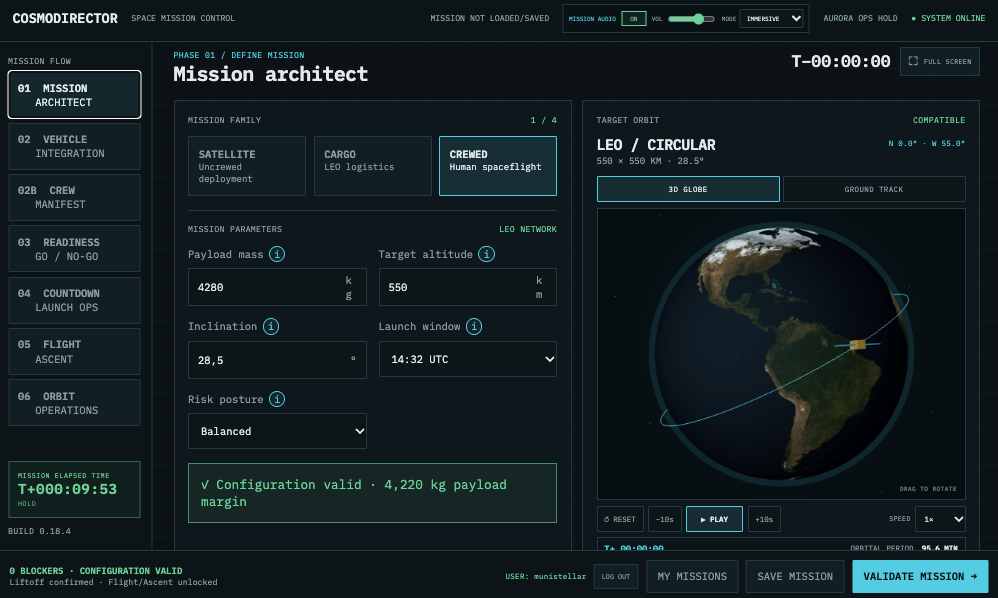
– Responsive Mission Architect.
– Satellite, cargo, and crewed mission families.
– Live validation, compatibility, velocity, and orbital period.
– Interactive 3D Earth with NASA Blue Marble satellite imagery.
– Planar ground-track view with latitude/longitude grid and satellite trail.
– Play, pause, reset, time-step, and simulation-speed controls.
– Navigable Mission Architect, Vehicle Integration, Readiness Review,
Countdown & Launch Operations, Flight & Ascent, and Orbital Operations phases.
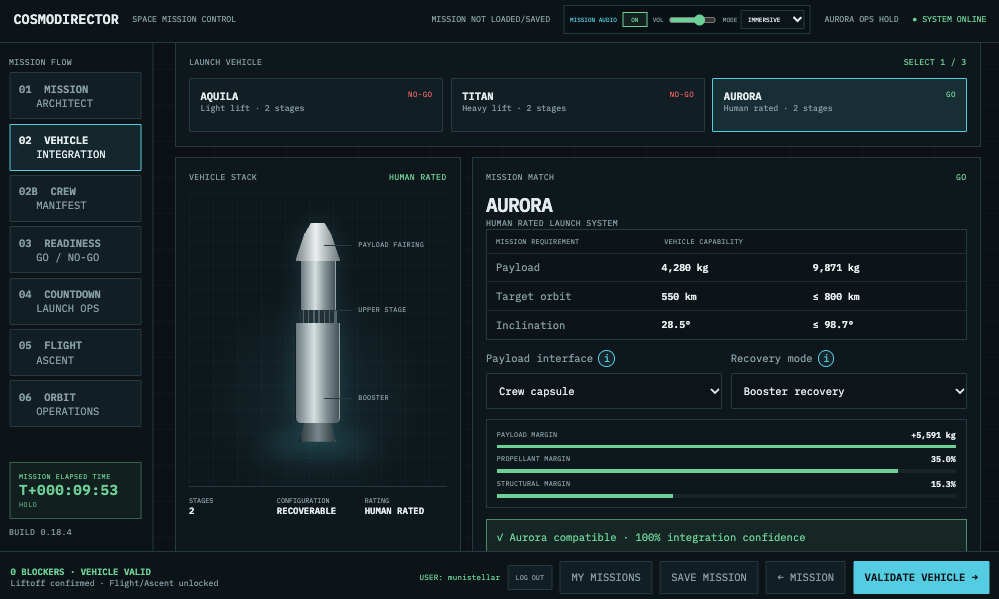
– Aquila, Titan, and Aurora launch systems with distinct certification limits.
– Live payload capability, propellant margin, structural margin, and GO/NO-GO.
– Configurable payload interface and booster recovery mode.
– Mission Readiness Review across weather, propulsion, payload, flight dynamics,
ground/range, and crew systems.
– Seeded operational contingencies, corrective actions, final station poll, and
countdown unlock.
– Ten-minute terminal count with 1×, 10×, 30×, and 60× simulation speeds.
– Automated commit timeline, launch-system status, and Mission Director log.
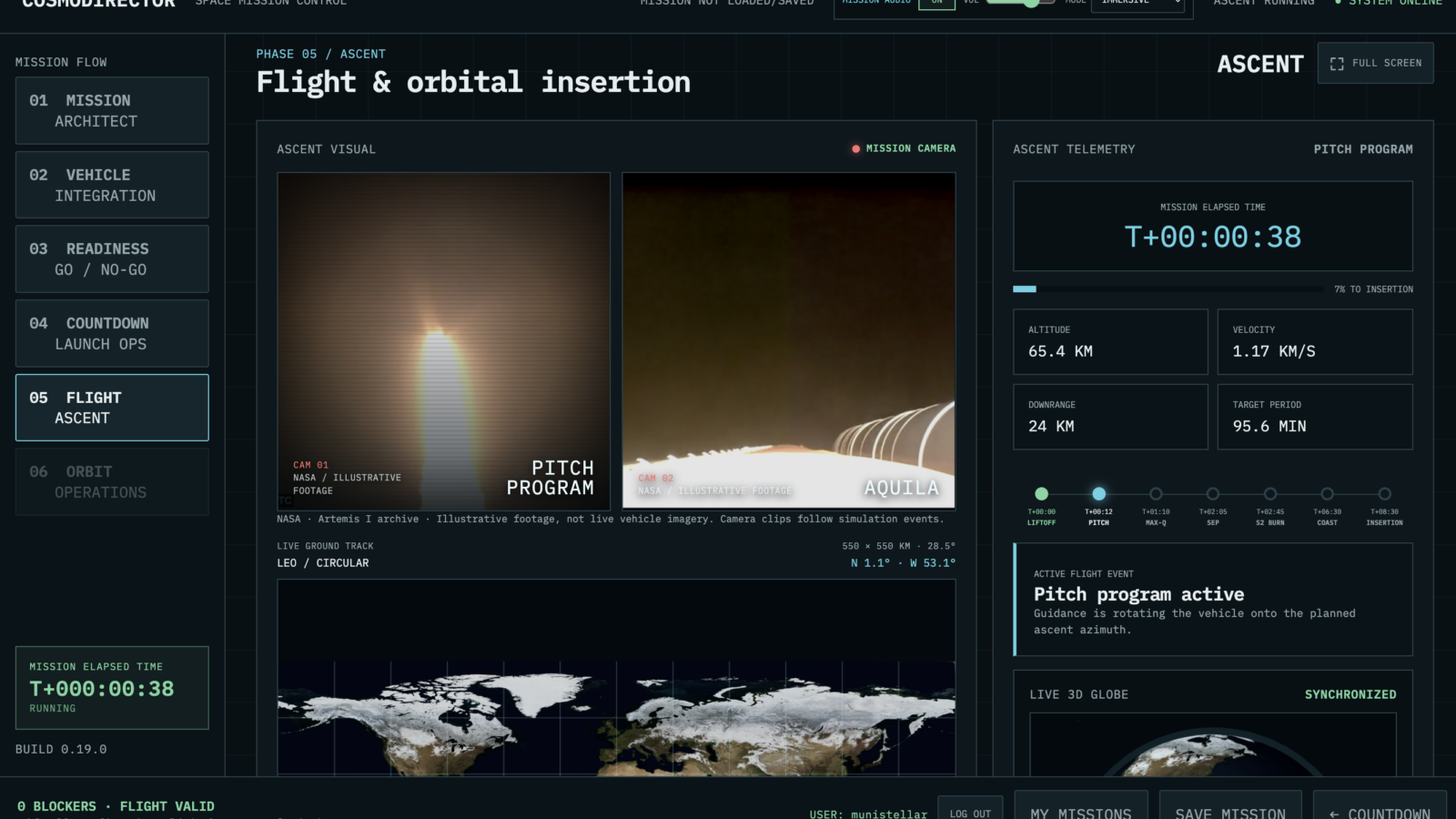
– Liftoff-driven Ground Track, seven-state mission camera, event timeline, and
orbital-insertion telemetry in Phase 05.
– Dual Phase 05 documentary video cameras with image/diagram fallbacks, enlarged
ground track, and synchronized 3D globe.
– Automatic handover after insertion to Phase 06 Orbital Operations, with an
interactive Aquila/Titan payload-deployment sequence and interactive Aurora
crewed orbital operations.
– Aurora Phase 06 live ground track, crew biomedical cards, cabin pressure,
oxygen, CO₂ and power telemetry, crew/cabin verification, deterministic
anomalies, repeatable operational programs, completed-run history, and a
prominent reentry NO-GO safety alarm.
– Phase 06 orbital timeline, live ground track, operational windows, attitude
and battery constraints, separation telemetry, collision-avoidance burn,
first ground acquisition, commissioning, and deterministic contingencies.
– Phase 04 onboard payload video or individual crew medical monitors plus
graphical Aquila, Titan, or Aurora vehicle status.
– Aurora Crew Manifest with one to four seats, life-support summary, and a
local Mission Commander.
– Deterministic weather, fuel-valve, umbilical, or engine-purge anomaly with
HOLD, corrective action, RESUME, manual HOLD, ABORT, and RESET controls.
– A full-screen control beside the launch clock, available throughout every
implemented mission phase.
– Contextual help for every mission parameter.
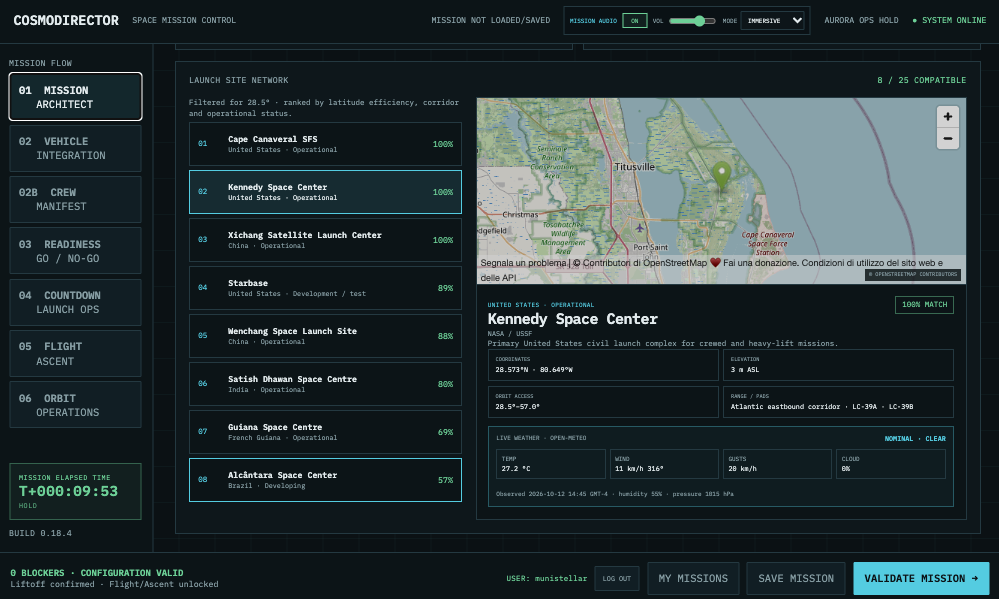
– Inclination-filtered network of 25 launch sites with orbital-access ranking,
operational details, coordinates, OpenStreetMap views, and live Open-Meteo
conditions.
– Phase 03 Weather station automatically retargeted to the launch site selected
in Mission Architect.
– Browser-local Saved Missions with save, update, copy, load, and delete.
– Single-mission and library backup as versioned JSON.
## Saved missions
**Save Mission** keeps progress in the current browser profile and site
address. **Download Backup** exports the current mission, including unsaved
progress. In **My Missions**, use **Export All** to back up the saved library
or **Import Missions** to restore a backup. Duplicate names are imported as
copies. The same backup can be opened on another computer or site address.
## Distribution
Sites is the active hosted edition. Releases from this repository include a
static build for HTTP hosting. See the [development guide](docs/DEVELOPMENT.md)
for local testing and packaging.
The WordPress plugin is deprecated as of 0.20.0. The
[final WordPress release v0.19.0](https://github.com/danielerisolo/cosmodirector/releases/tag/v0.19.0)
retains the plugin ZIP and full plugin source. Its WordPress database saves
remain in that installation.
Portable macOS and Windows distributions are planned from the same web source.
## Product principles
– Authentic operational atmosphere without copying real agency branding.
– Information-first interface: every panel supports a decision.
– Progressive complexity from mission planning to launch operations.
– Deterministic simulation model separated from presentation.
– Keyboard, mouse, touch, and responsive browser layout.
## License
All rights reserved.
NASA Blue Marble imagery is credited to NASA Earth Observatory. Three.js is
included under the MIT License. See [third-party notices](web/THIRD_PARTY_NOTICES.md).