CosmoDirector
Space Mission Control Simulator (try it here)
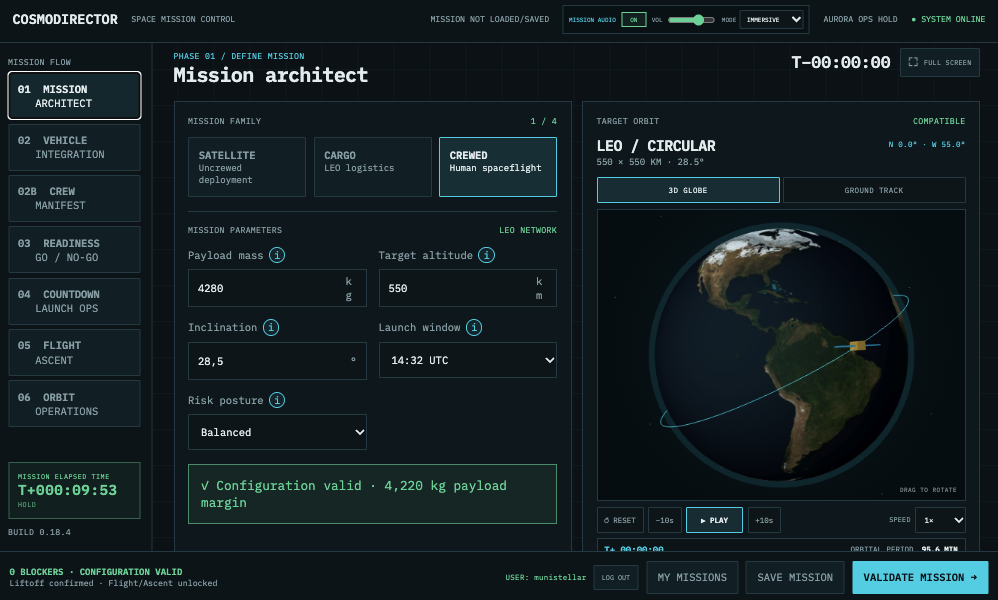
CosmoDirector is an interactive, browser-based space mission-control simulator distributed as a WordPress plugin. Players define a mission, balance payload and orbital constraints, and receive live GO/NO-GO feedback from an operational control-room interface.
The current mission are focuses on Low Earth Orbit. Lunar, Martian, and deep-space operations are planned for later releases.Current status, Version 0.18.4 replaces browser Text-to-Speech with 107 bundled English mission recordings generated locally with Kokoro. Every line has a stronger radio filter, transmitter saturation, subtle carrier hiss, and a short end-of-transmission beep. Four fixed speakers provide consistent Mission Control voices across devices without installing system voices or using paid APIs. MP3s load on demand from the WordPress host; complete sentences omit variable run numbers while all details remain visible in the
simulator. Priorities, contextual chatter, radio effects, and user-gesture audio
unlock remain supported.
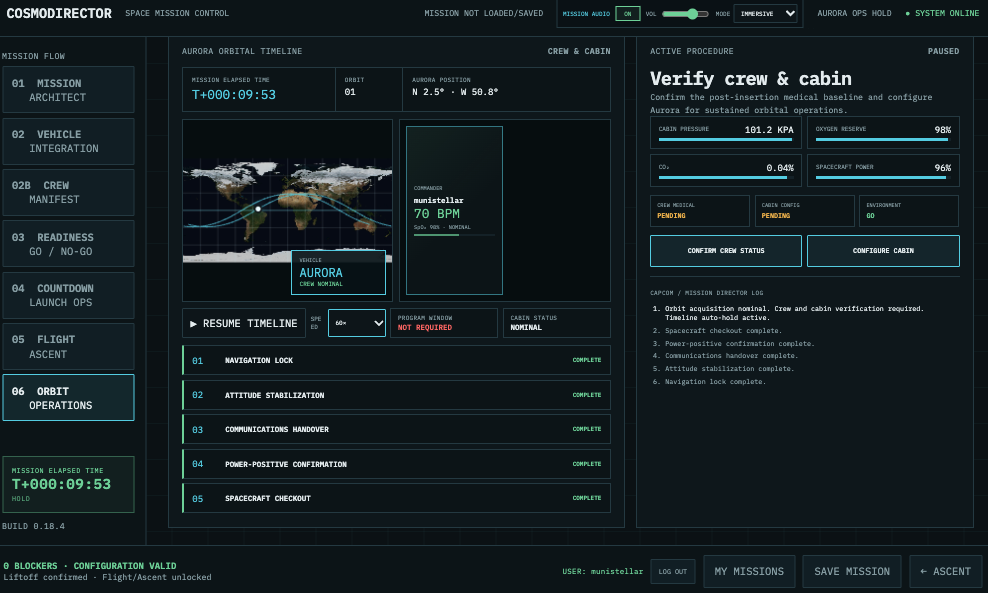
Aquila and Titan retain their payload-deployment operations, while Aurora adds
live crew and cabin verification followed by selectable Crew & Cabin, Science,
EVA, or Payload programs. All branches share persistent deterministic
conditions, operational holds, and a continuous Mission Elapsed Time clock.
Guest access is limited to Mission Architect until sign-in.- Installable WordPress plugin ZIP.
– Optional Mission Audio with bundled MP3 recordings, fixed English console voices,
priority queue, contextual chatter, radio effects, and persistent controls.
– `[cosmodirector]` shortcode.
– Responsive Mission Architect.
– Satellite, cargo, and crewed mission families.
– Live validation, compatibility, velocity, and orbital period.
– Interactive 3D Earth with NASA Blue Marble satellite imagery.
– Planar ground-track view with latitude/longitude grid and satellite trail.
– Play, pause, reset, time-step, and simulation-speed controls.
– Navigable Mission Architect, Vehicle Integration, Readiness Review,
Countdown & Launch Operations, Flight & Ascent, and Orbital Operations phases.
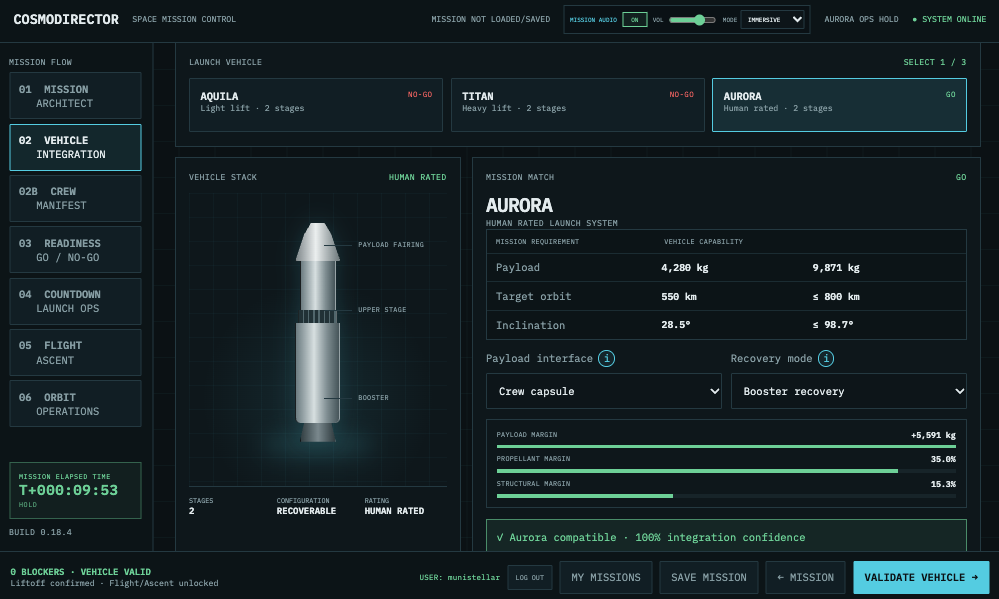
– Aquila, Titan, and Aurora launch systems with distinct certification limits.
– Live payload capability, propellant margin, structural margin, and GO/NO-GO.
– Configurable payload interface and booster recovery mode.
– Mission Readiness Review across weather, propulsion, payload, flight dynamics,
ground/range, and crew systems.
– Seeded operational contingencies, corrective actions, final station poll, and
countdown unlock.
– Ten-minute terminal count with 1×, 10×, 30×, and 60× simulation speeds.
– Automated commit timeline, launch-system status, and Mission Director log.
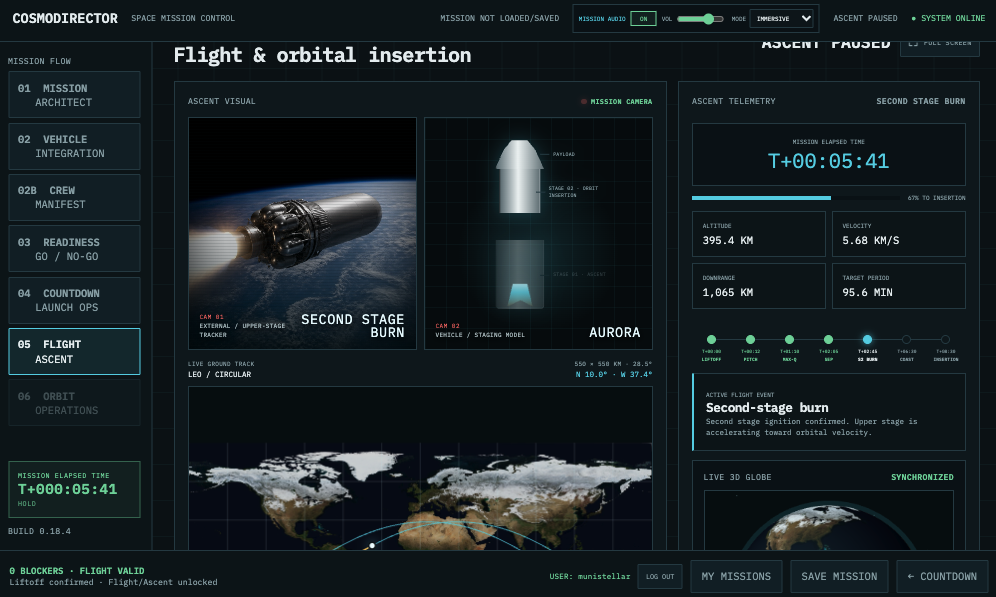
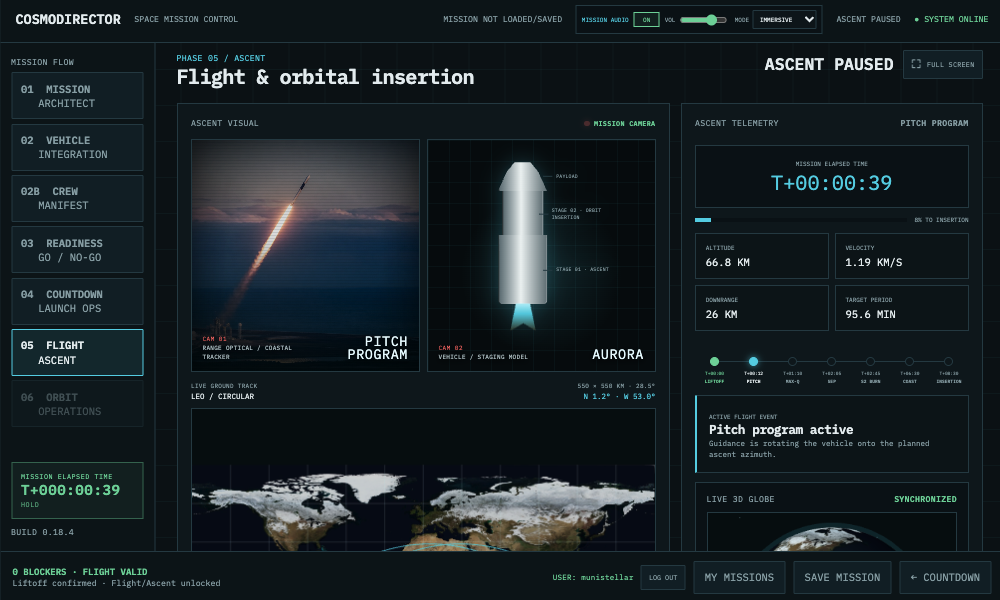
– Liftoff-driven Ground Track, seven-state mission camera, event timeline, and
orbital-insertion telemetry in Phase 05.
– Dual Phase 05 camera layout with a live vehicle staging diagram, enlarged
ground track, and synchronized 3D globe.
– Automatic handover after insertion to Phase 06 Orbital Operations, with an
interactive Aquila/Titan payload-deployment sequence and interactive Aurora
crewed orbital operations.
– Aurora Phase 06 live ground track, crew biomedical cards, cabin pressure,
oxygen, CO₂ and power telemetry, crew/cabin verification, deterministic
anomalies, repeatable operational programs, completed-run history, and a
prominent reentry NO-GO safety alarm.
– Phase 06 orbital timeline, live ground track, operational windows, attitude
and battery constraints, separation telemetry, collision-avoidance burn,
first ground acquisition, commissioning, and deterministic contingencies.
– Phase 04 onboard payload video or individual crew medical monitors plus
graphical Aquila, Titan, or Aurora vehicle status.
– Aurora Crew Manifest with one to four seats, life-support summary, and a
WordPress-linked Mission Commander.
– Deterministic weather, fuel-valve, umbilical, or engine-purge anomaly with
HOLD, corrective action, RESUME, manual HOLD, ABORT, and RESET controls.
– A full-screen control beside the launch clock, available throughout every
implemented mission phase.
– Contextual help for every mission parameter.
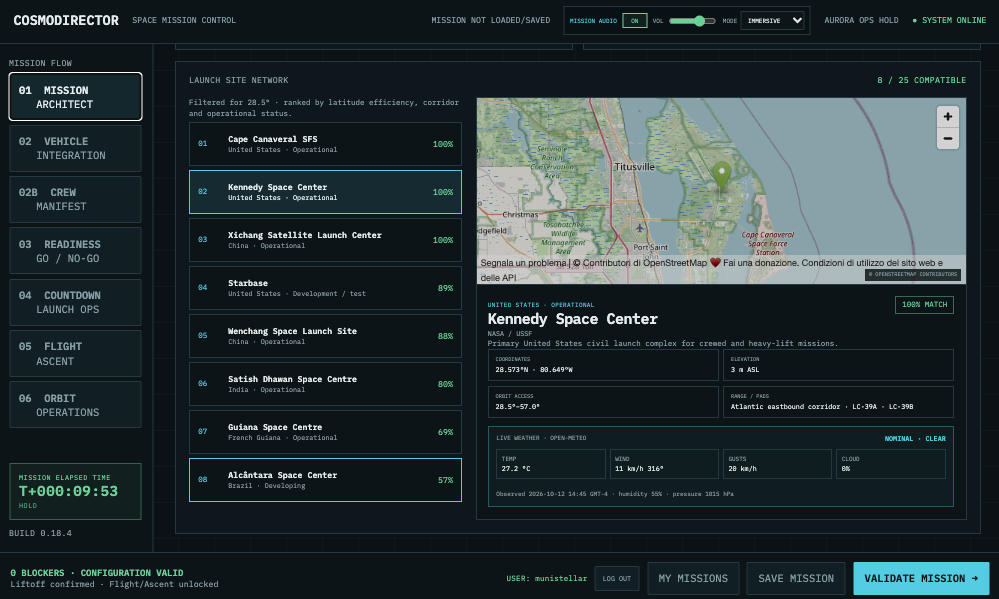
– Inclination-filtered network of 25 launch sites with orbital-access ranking,
operational details, coordinates, OpenStreetMap views, and live Open-Meteo
conditions.
– Phase 03 Weather station automatically retargeted to the launch site selected
in Mission Architect.
– Private Saved Missions library for each WordPress account.
– Save, update, Save As New, load, and delete actions with conflict protection.
– In-place WordPress login/logout controls that preserve the simulator’s
full-screen state.
– Server-side schema validation and compatibility with the existing
schema-version 1 mission model.## Install in WordPress1. Download `cosmodirector-space-mission-control-simulator-0.18.4.zip` from the
GitHub release.
2. In WordPress, open **Plugins → Add New Plugin → Upload Plugin**.
3. Upload the ZIP and activate **CosmoDirector – Space Mission Control
Simulator**.
4. Add `[cosmodirector]` to any page.An optional height can be supplied:“`text
[cosmodirector height="90vh"]
“`Saved Missions are stored in a dedicated, WordPress-prefixed database table and
are visible only to the WordPress account that created them. The plugin does not
send mission records, credentials, or payload data to an external service. The
browser sends only the selected catalog site’s public coordinates to
OpenStreetMap and Open-Meteo when loading its map and current conditions.
Players must be signed in to save or load a mission.For guest players, the simulator footer submits credentials directly to
WordPress’s native login handler in a background browser target, then refreshes
only the displayed account state. This preserves the live mission and full-screen
mode. The registration link follows the site’s WordPress membership policy;
site administrators can enable registration under **Settings → General →
Membership**.## Local development with DockerRequirements: Docker Desktop and Git.“`bash
docker compose up -d db wordpress
docker compose run –rm wpcli core install \
–url=http://localhost:8088 \
–title=”CosmoDirector” \
–admin_user=admin \
–admin_password=local-playtest \
–admin_email=admin@example.test \
–skip-email
docker compose run –rm wpcli plugin activate cosmodirector-space-mission-control-simulator
“`Open `http://localhost:8088`. See [the development guide](docs/DEVELOPMENT.md)
for test, page-creation, and packaging commands.## Product principles- Authentic operational atmosphere without copying real agency branding.
– Information-first interface: every panel supports a decision.
– Progressive complexity from mission planning to launch operations.
– Deterministic simulation model separated from presentation.
– Keyboard, mouse, touch, and responsive browser layout.## LicenseAll rights reserved. A GPL-compatible distribution license must be selected
before submission to the public WordPress.org Plugin Directory.NASA Blue Marble imagery is credited to NASA Earth Observatory. Three.js is
included under the MIT License. See the plugin’s `THIRD_PARTY_NOTICES.md`.
TRY IT HERE: